April 1st passes quickly, along with the harmless jokes and false alerts that make us question everything on April Fools' Day.
Sadly, scammers don't follow the calendar.
Spring ranks as one of the busiest seasons for cybercriminals—not due to negligence, but because everyone is caught up in their fast-paced routines, making it easier for clever scams to slip by unnoticed until it's too late.
Here are three current scams targeting not the naive, but attentive, hardworking employees just trying to get through the day.
As you review these scenarios, consider: Does my entire team have the awareness to stop and identify each risk?
Scam #1: Fake Toll or Parking Fee Alerts
Imagine an employee suddenly receives this message:
"You have an outstanding toll fee of $6.99. Pay within 12 hours to prevent penalties."
The text mentions legitimate toll services like E-ZPass, SunPass, or FasTrak, matching the employee's state. The seemingly minor fee doesn't raise suspicion. During a busy day, they click the link, make a payment, and carry on.
But the link is fraudulent.
In 2024, the FBI logged over 60,000 reports about fake toll texts, with a staggering 900% increase in 2025. Researchers have uncovered more than 60,000 counterfeit websites mimicking state toll systems—a massive operation illustrating how lucrative this scam has become. Shockingly, some texts target residents in states without toll roads.
This scam's success lies in the low dollar amount and the common experience of recent toll or parking usage, making the message seem entirely believable.
The key defense: Real toll agencies never require immediate payment via text links. Smart companies enforce strict rules: payments should only be made through official websites or apps directly accessed by employees. They never respond to suspicious texts, not even to send "STOP," as replying verifies the number and invites additional scams.
Convenience entices, but a solid process protects.
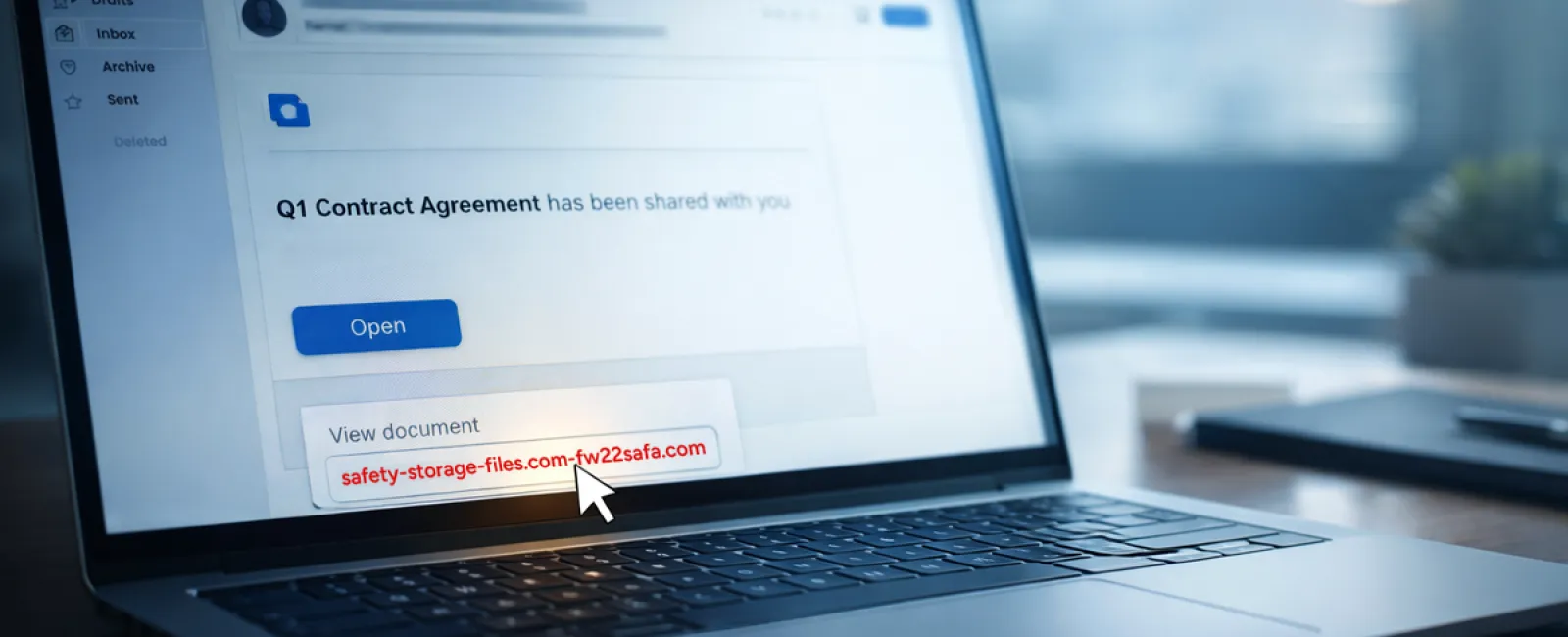
Scam #2: "Your File Is Ready" Email
This scam blends seamlessly into daily office life.
An employee gets an email claiming a document was shared—maybe a DocuSign contract, a OneDrive spreadsheet, or a Google Drive file.
The sender appears genuine, and the notification formatting perfectly mimics legitimate file-share alerts.
They click the link, enter their login credentials when prompted.
Just like that, cybercriminals gain access to your company's cloud environment.
Such phishing attacks surged dramatically: fake file-share notifications exploiting platforms like Google Drive, DocuSign, Microsoft, and Salesforce rose 67% in 2025, according to KnowBe4's Threat Labs. Google Slides phishing alone jumped over 200% within six months.
Alarmingly, employees are seven times more likely to open malicious links from OneDrive or SharePoint notifications compared to random emails, since these look identical to trusted messages.
Newer scams are even more dangerous: attackers compromise accounts and send file-share alerts using the platform's actual sharing tools. The emails originate from authentic servers, slipping past spam filters undetected.
Protective steps: Train staff to avoid clicking unexpected file-share links. Instead, they should log in directly through the platform's website to confirm. Your IT team can minimize risk by limiting external file-sharing and activating alerts for unusual logins—settings easily configured within minutes.
Consistent caution yields strong results.
Scam #3: Sophisticated Phishing Emails
Gone are the days when phishing emails were easy to detect by broken language or awkward formatting.
Today, AI-generated phishing messages achieve a 54% click-through rate—more than four times higher than the 12% rate for human-written scams, according to a 2025 study.
These emails are almost indistinguishable from legitimate communications, referencing real company names, titles, and workflows scraped from LinkedIn and websites in seconds.
The latest scams target departments precisely: HR and payroll get fake employee verifications; finance teams receive vendor payment change requests. One recent test showed 72% staff engagement with vendor impersonation emails—a 90% higher success rate than other phishing types. The messages are calm, professional, and urgent without seeming alarmist, blending perfectly into typical inbox traffic.
Effective countermeasures: Always verify requests involving credentials, payments, or sensitive data using a separate communication channel—whether a call, chat, or in-person conversation. Encourage employees to hover over email addresses to verify sender domains, and view urgent tones as a red flag rather than a prompt.
True security protects without causing panic.
Why This Matters
These scams thrive on familiarity, urgency, authority, and the assumption that "it'll only take a moment."
The danger isn't employees rushing—it's relying on everyone to consistently slow down, double-check, and make flawless decisions under pressure.
If one quick mistake can disrupt your operations, that's not a people flaw—it's a systems flaw.
And the good news: flawed systems are repairable.
How We Support Your Security
Most business owners don't want to manage another project or personally teach their teams to spot threats.
They simply want confidence that their business is shielded quietly and effectively.
If you're concerned about your team's vulnerability—or know a colleague who should be—we're ready to help.
Book a no-obligation discovery call to discuss:
• Current risks affecting businesses like yours
• Common vulnerabilities hidden in everyday work routines
• Practical strategies to minimize exposure without slowing productivity
No pressure, no scare tactics—just a clear conversation to address your concerns and explore solutions.
Click here or give us a call at 919-741-5468 to schedule your free 15-Minute Discovery Call.
If this doesn't apply to you, feel free to forward it to someone who'd benefit—sometimes awareness transforms a "would have clicked" into a "blocked attempt."